MediBang Paint FAQ Android

FAQ

faq faq
О том, как использовать
Q
Возможно ли расположить текст вертикально?
A
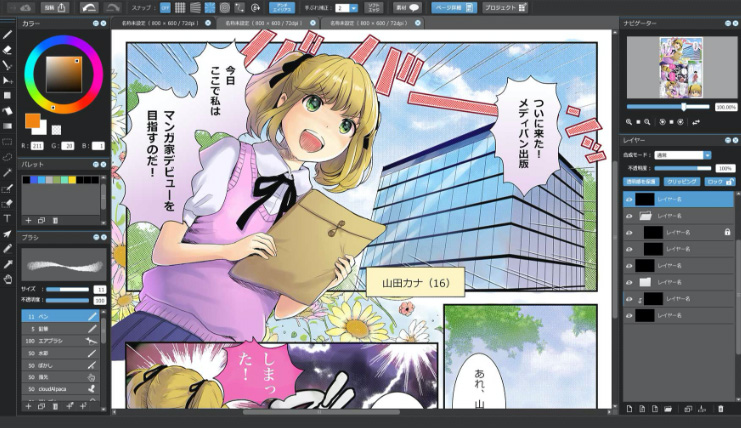
В Инструменте Текст (окно "Редактировать текст"), при выборе опции "Вертикальный", текст будет расположен вертикально.
Q
Как загрузить кисти из Облака?
A
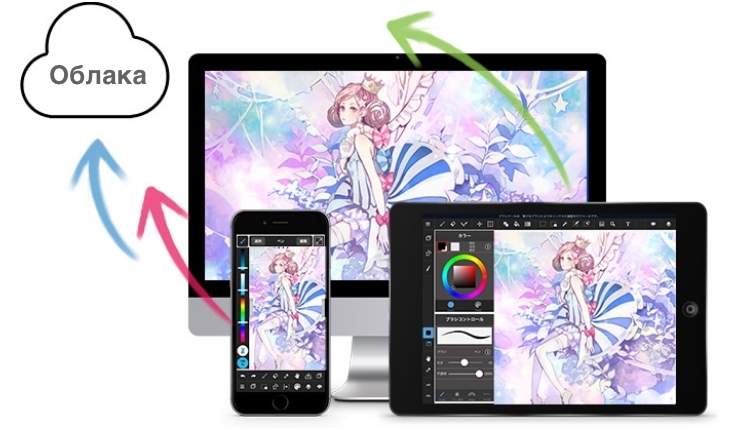
Загрузка кистей из Облака. Добавление кистей ПК  
Добавление кистей Андроид  
  Добавление кистей iPad  
Добавление кистей iPhone    
Q
Плитка и тон материалы только для сети? Можно ли использовать их для печати?
A
Материалы представлены в двух вариантах: 350 и 600 dpi. Для печати, используйте материалы 600 dpi. Для размещения в сети можно использовать любой вариант материалов.
О беде
Q
I can’t restore my purchased items.
A

If you are unable to restore MediBang Premium, please check the following information below:

  1. Please make sure that your current MediBang Paint is the latest version. (On Android, this method is available only with MediBang Paint obtained from the Google Play Store; the version of MediBang Paint without the alphabet at the end is the app obtained from the Google Play Store.)
  2. Please check the purchase history of the platform where you purchased the item to make sure that the payment for the item has been completed.
  3. Please make sure that the items you have already paid for have not expired.
If the problem persists, please contact us from the contact form.
Q
При использовании защитной плёнки на экране, качество рисования станет хуже?
A
При использовании защитной плёнки на экране, возможно ухудшение качества рисования.
Q
Где можно задать вопрос связанный с приложением?
A
Для того, чтобы задать вопрос перейдите на эту страницу.
Q
Количество шрифтов уменьшилось, раньше мог пользоваться большим количеством шрифтов. Что делать?
A
Для того, чтобы использовать Облачные шрифты требуется вход по своей учётной записью. Если вы не можете пользоваться Облачными шрифтами, возможно не был произведён вход в систему. В этом случае, войдите под своей учётной записью.
О различных органах власти
Q
Можно ли использовать материалы MediBang Paint для создания работ с последующей продажей?
A
Приложение может быть использовано как для частных, так и для коммерческих целей. Приложением можно пользоваться без дополнительных разрешений и уведомлений.
О MediBang Premium
Q
Как отменить/отказаться от подписки на MediBang Premium?
A
Если вы подписались через приложение: Продолжите процедуру отмены подписки в магазине приложений соответствующей платформы, на которой вы приобрели подписку. ▽App Store https://support.apple.com/ru-ru/118428 ▽Google Play https://support.google.com/googleplay/answer/7018481 Если вы зарегистрировались через веб-сайт: На странице "Информация о пользователе" вы можете отменить автопродление, выбрав "Отменить" в разделе "Дата окончания" в разделе "Текущий активный план" *Вы сможете пользоваться функциями MediBang Premium до даты окончания, даже если вы остановите автопродление. ※ Даже если вы отмените автопродление, у вас останется доступ ко всем функциям MediBang Premium до "Даты окончания", указанной в вашей учетной записи. Найти страницу с информацией о пользователе можно здесь: https://medibang.com/myProfile/premium/ ※Если вы приобрели подписку MediBang Premium с помощью WebMoney или AliPay, в этих случаях автопродление не предусмотрено, поэтому процедура отмены не требуется.
Q
What happens when your cloud storage is full?
A
When the cloud storage reaches its max capacity, you cannot save new work files, move your team, or open your files inside the cloud storage. When this happens, we recommend joining the MediBang Premium to add more storage space. ※Files that exceed the storage capacity will be deleted after a certain period of time.
Q
What is «Version Management»?
A
This is where your history of saved datas and files are managed. Here you can check a total of three saved edits including the latest saved file. For those using MediBang Premium, your can recall unlimited saved edits. (For this function you must have an official MediBang account).
Q
What will happen when your Team Affiliation maxes out?
A
When team affiliation maxes out, joining a team outside your first team will be cancelled and your activities outside your bulletin will be limited.
Q
What does it mean to synchonize my MediBang account with MediBang Premium?
A
It is possible to connect or synchronize your MediBang account with your purchased MediBang Premium. By logging into your synchronized MediBang account you can use the special features of MediBang Premium on all of your electronic devices.
Q
How do you check the number of «Team Affiliation»?
A
【For PC Users】 You can check your Team Affiliation from the link below. https://medibang.com/creators/myteam/ ※You must have a MediBang account to access this webpage. 【For iPad, iPhone, Android Users】 You can check your Team Affiliation by clicking on "Check My Plan" on the app's main menu.
Q
How can I pay for my Medibang Premium?
A
【For iPad, iPhone, Android Users】 Choose your mode of payment from your platforms' app stores. 【For PC Users】 You can use your credit card, and services such as WebMoney and Alipay and PayPal and Amazon Pay.
Q
How do you check your membership status?
A
【For PC Users】 You can check your membership status from the link below. https://medibang.com/myProfile/premium/ ※You must have a MediBang account to access this webpage. 【For iPhone, Android Users】 Access the "Check my Plan" button located on the far top left of the app's main menu to check your membership. 【For iPad Users】 Access the "Check my Plan" button located on the left side menu of the app's main menu to check your membership.
Q
I paid for the MediBang Premium but it’s not showing.
A
【For users who purchased online】 ① Please check if your MediBang Paint is up to date. ② Click on the link below(You must be logged in), and find if the item you purchased on the platform is in the plan that you have joined. https://medibang.com/myProfile/premium/ ③ Check if you are logged in with the account from ② in the MediBang Paint you are using. If the problem is not fixed or resolved, please let us know through our "Contact". 【For users who purchased via Apple Store】 ① Please check if your MediBang Paint is up to date. ② Check your platform's purchase history to see if your item's transaction is complete. ③ Check if your item has not passed its effective date. ④ Check if you have logged in with your Apple ID into your MediBang Paint. ⑤ From ④'s "Check my Plan" screen, and click on "Restore Paid Item". If the problem is not fixed or resolved, please let us know through our "Contact". 【For users who puchased via Google Play Store】 ① Please check if your MediBang Paint is up to date. (For Android users, you can only check through Google Play store. MediBang Paint purchased from Google Play would be the one with no alphabet in the app name). ② Check your platform's purchase history to see if your item's transaction is complete. ③ Check if your item has not passed its effective date. ④ Check if you are logged in with the Google Play account in the MediBang Paint you are using. ⑤ From ④'s "Check my Plan" screen, and click on "Restore Paid Item". If the problem is not fixed or resolved, please let us know through our "Contact".
Q
What is a «Friend Team»?
A
This is the team you belong to, and the one of the other users would be the "owner" of the team.
Q
What is Cloud Storage?
A
Click on this link below for more information on "cloud storage". https://medibangpaint.com/cloud/
Q
What is the membership fee for MediBang Premium?
A
Below are each plans' membership fee. [MediBang Premium] Price:330Yen/Month Cloud Capacity:20GB [MediBang Premium100] Price:550Yen/Month Cloud Capacity:100GB [MediBang Premium300] Price:1,080Yen/Month Cloud Capacity:300GB
Q
How do I sync MediBang Premium with my MediBang account?
A
To sychronize your MediBang account, you will need to restore your purchased items. Click on the link below on how to restore your items. https://medibangpaint.com/ru/faq/17428/
Q
What is the Medibang Premium «Free Trial»?
A
The "free trial" is the limited-time membership where you can test all of MediBang's services. No fee will occur if the membership is cancelled within the limited time.
Q
What is «Team Production»?
A
Click on this link below for more information on "team production". https://medibangpaint.com/team/
Q
For some reason I can’t use MediBang Premium anymore.
A
Please try the method described in the FAQ below. https://medibangpaint.com/ru/faq/17428/
Q
How do you check your cloud storage?
A
【For PC Users】 You can check your membership status from the link below. https://medibang.com/myProfile/premium/ ※You must have a MediBang account to access this webpage. 【For iPhone, Android Users】 Access the "Check my Plan" button located on the far top left of the app's main menu to check your membership. 【For iPad Users】 Access the "Check my Plan" button located on the left side menu of the app's main menu to check your membership.
Q
Do you need an official account to purchase «MediBang Premium»?
A
【For those who purchased online】 You must register a MediBang account. 【For those who purchased in the Apple Store, Google Play Store】 You do not need a MediBang account to purchase the Premium, but some services(Version Management, Cloud Storage)will be inaccessible、so we recommend registered use of a MediBang account.
Q
Can I still use the (Creative Pack) paid option plan?
A
You can still use the paid option plan. But we still recommend joining MediBang Premium to ensure enough storage space.
Q
What is the difference between the Cloud Storage’s «File Size» and «Storage Usage»?
A
"File Size: is the amount of mdp file capacity saved to your cloud storage. "Storage Usage" is the amount including the "file size" as well as the file's "version information".
MediBang Premium, новая услуга MediBang Paint, теперь доступна!

Вы получите неограниченное количество кистей и материалов, полный доступ ко всем функциям MediBang Paint, а также множество других преимуществ, которые помогут вам в ваших творческих начинаниях.